A live mix for your screen
Use your own videos and images or the 87 built-in GPU visuals. Stack layers with blend modes and opacity, then crossfade between clips and mixes.
LIVE EVENTS · PROJECTOR OUTPUT
Build a live visual mix on your laptop, then send it fullscreen to a projector or external screen. Layer clips, GPU shaders and beat-reactive effects for performances and venue screens.
Windows & Apple Silicon macOS · Free trial output includes a watermark
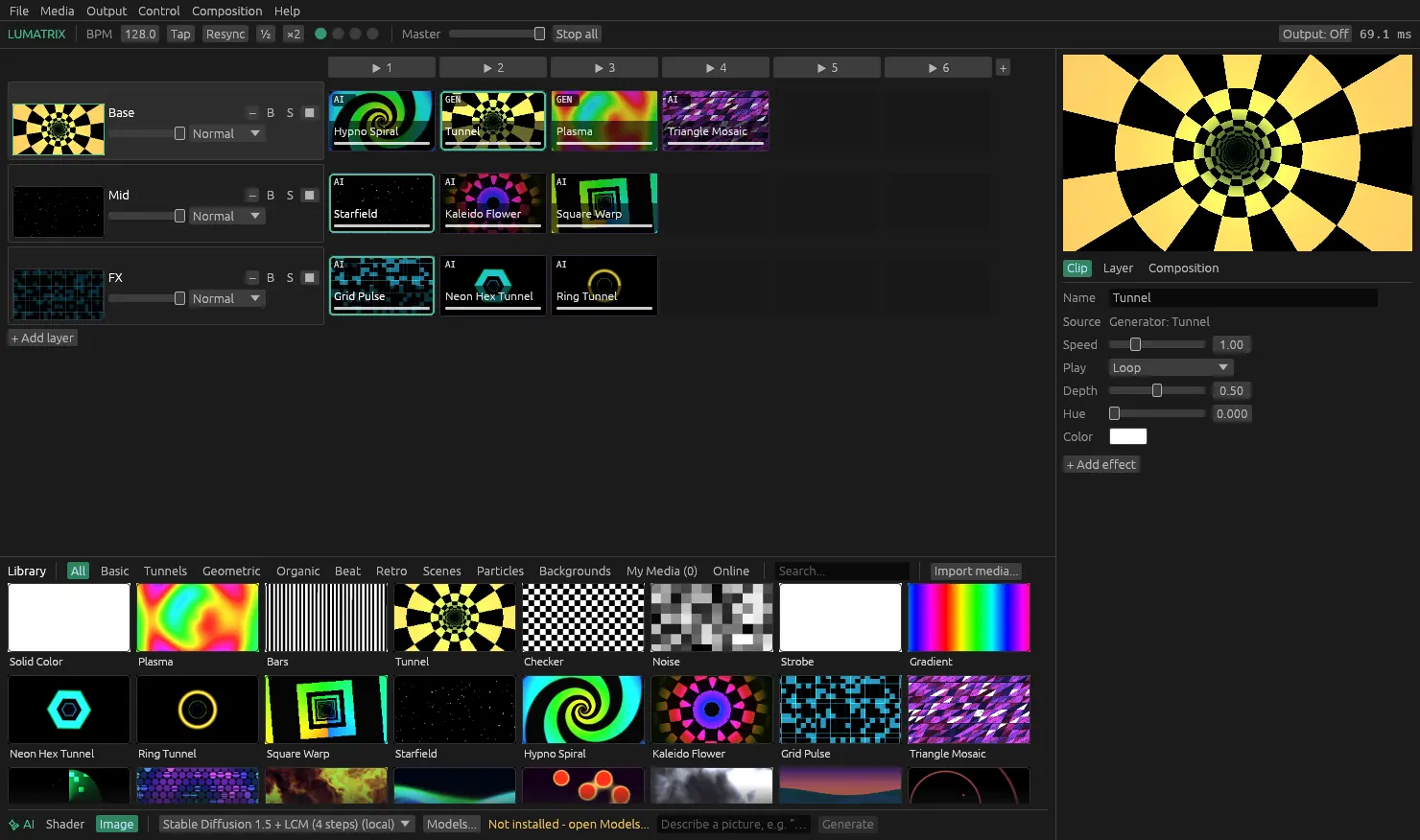
Use your own videos and images or the 87 built-in GPU visuals. Stack layers with blend modes and opacity, then crossfade between clips and mixes.
Bass, mid and high levels can drive opacity, shader controls and column triggers. Apply effects to clips, layers or the master mix.
Map controls with MIDI learn, or drive the show from a lighting desk using Art-Net / DMX. Send the final mix fullscreen to your chosen display or projector.
If you are looking for projection mapping software, distinguish the live visual source from the mapping stage. Lumatrix provides real-time visual mixing and fullscreen projector output. Fullscreen output alone does not establish support for surface warping, edge blending or calibration across multiple projectors.
For a flat screen or straightforward projector display, try the free download with your actual equipment. For a shaped surface or a multi-projector installation, confirm the required mapping capabilities before choosing your setup.
Ask about your projector setup